Bring your book. Keep your history.
Moving systems is where records get lost. Omniscient brings your bound book, stock, customers and paperwork over in the right order. You see every entry before it is written.
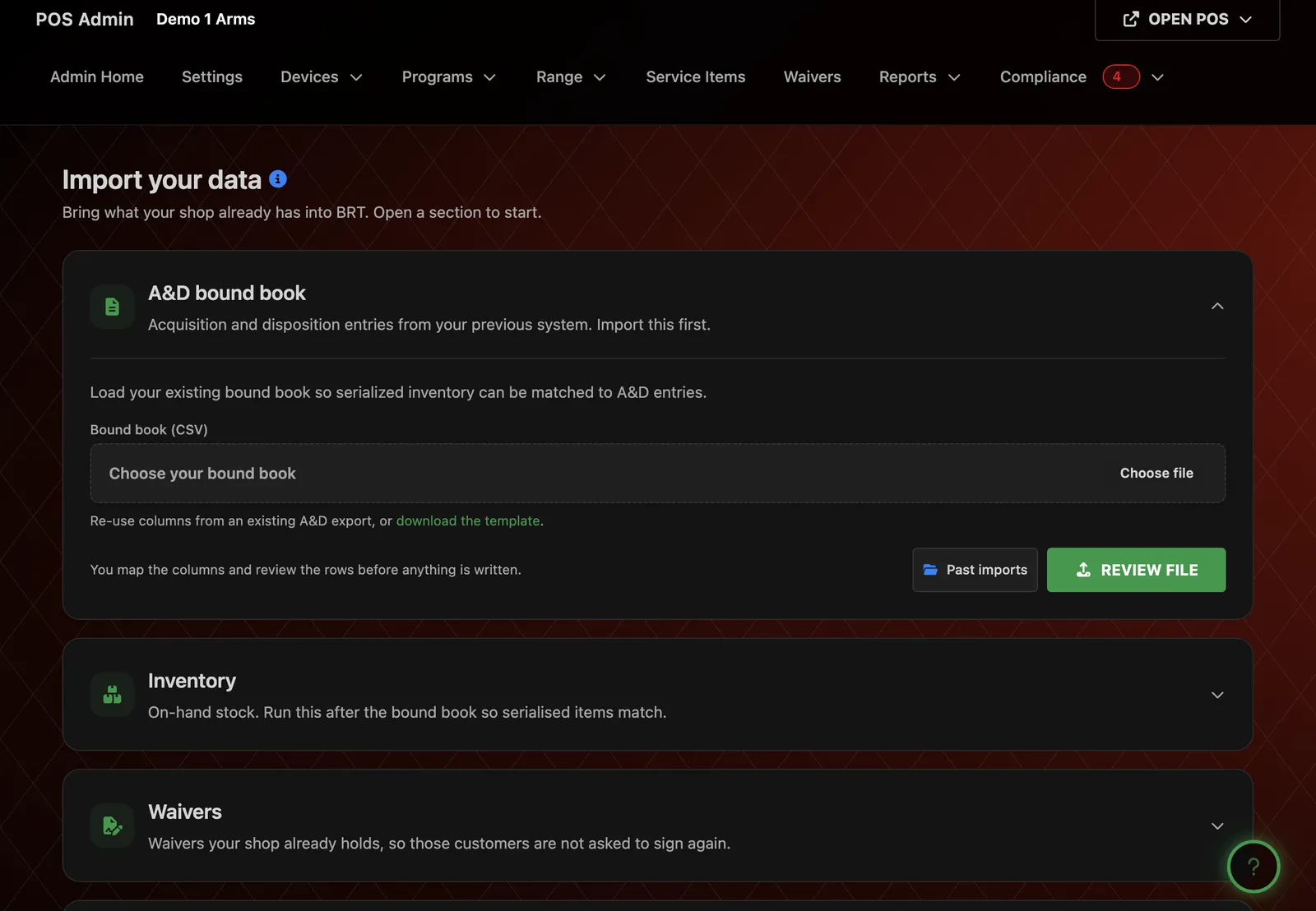
One import page. Five steps. Nothing lands until you check it.
Five steps, one import page
Every importer lives on one page, in the order a store should run them. Each one shows what it will do before it writes. Nothing lands in your records until you check it.
-
01
A&D bound book
Start here. Upload your A&D book as a spreadsheet and map the columns. Review every entry before it is written. Your serials are in place before your stock arrives.
Included on every plan
-
02
Inventory
Bring your on-hand stock over from a spreadsheet. Run it after the A&D book, so every serialized gun matches its entry.
Included on the Gun Store plan and up
-
03
Customers
Upload your customer list. The columns are detected for you. Run it again later to merge new contacts without duplicates.
Included on the e-Commerce plan and up
-
04
Signed waivers
Bring signed waivers from your old system. A review step checks them first, and signed PDFs can come along. Returning customers are not asked to sign again.
Included on the Gun Range plan and up
-
05
Old paper 4473s
Upload scanned 4473s as PDFs. Each one is indexed by date, name and serial. Attach it to its A&D entry and it is there when you need it.
Included on the Gun Range plan and up
-
With you
We run the move with you
Our team walks you through each import on your demo.
Book a demo
Bring the book you already keep
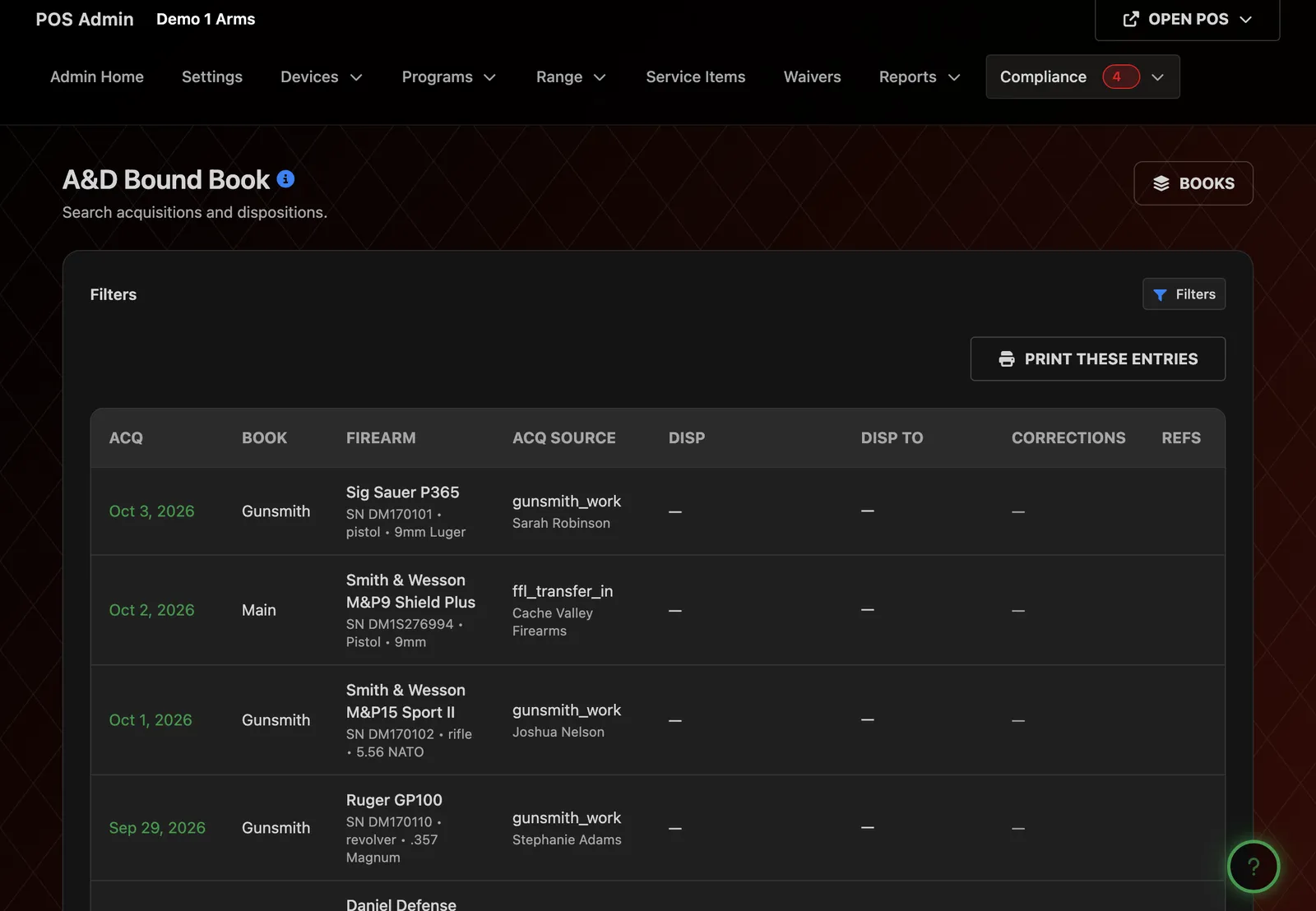
Export your A&D book from FastBound, or any other bound book software, as a spreadsheet. Upload it, match its columns to ours, and check the preview. Every entry keeps its history.
Every entry keeps
- Dates
- Serials
- Sources
- Dispositions
From then on, the book writes itself
The daily work of the counter keeps the book current. Every import, export and correction lands in the tamper-evident audit log.
- Receiving stock writes the acquisition
- A used buy or a trade-in writes the acquisition
- A consignment or a transfer writes the acquisition
- A completed 4473 writes the disposition
- A transfer out writes the disposition
- Every correction is logged